Introduction
Stage, AV, lighting and livestream planning determines whether a corporate event feels clear, credible and easy to follow. The crux is not to rent equipment first and solve the show later, but to plan around the event objective, audience size, venue limits, speaker flow, accessibility, audio clarity, camera requirements, internet redundancy and rehearsal time so the message works both in the room and online.
Why Technical Production Matters for Corporate Events
Technical production should not be treated as a last-minute equipment checklist. A useful way to frame corporate AV production is that it is not just equipment rental; it is the planning, engineering and show control that connect people, content and technology. A town hall needs clear leadership communication, a product launch needs reliable reveal cues, and a hybrid event needs online viewers to hear, see and follow the programme without feeling like an afterthought.
The most important production test is simple: can the audience understand the speaker and follow the message? Because conference audio is often the highest-priority element, sound should be protected first when budgets, setup time or venue conditions force trade-offs. If the room cannot hear clearly, the screen design, stage backdrop and livestream graphics will not save the experience.
Start with Event Goals, Format and Audience Needs
Start with the event outcome before choosing the stage, screen, microphones or cameras. A leadership briefing, investor update, conference, awards gala and product launch may use similar equipment, but each needs a different production logic.
Confirm whether the event is in-person, virtual or hybrid. Then map the agenda: keynote presentations, panels, fireside chats, awards, entertainment, product demonstrations, sponsor videos, remote speakers and Q&A all affect microphone count, camera angles, lighting cues, screen placement and show calling.
Audience size and room layout should be checked early. For major conferences, a 4 to 6 month planning window gives the team more control over venue access, supplier availability, content deadlines, rehearsals and backup plans. Venue due diligence matters because site visit guidance notes that 67% of event planners regret not inspecting a venue thoroughly enough before signing. The practical takeaway is simple: inspect the room before locking the design.
Production Brief Essentials
- Event objective: what the audience should know, feel or do after the event.
- Venue details: room layout, floor plan, ceiling height, loading access, power, internet and restrictions.
- Audience profile: size, seating style, accessibility needs, language needs and online participation.
- Stage requirements: lectern, panel seating, branding, backdrop, speaker movement and safe access.
- Presentation content: slides, videos, confidence monitors, clickers, backup files and playback laptops.
- Audio plan: host, speakers, panellists, audience Q&A, remote speakers, recording and livestream feed.
- Visual plan: screens, projectors, LED wall, camera relay, livestream graphics and recording needs.
- Lighting plan: speaker visibility, brand ambience, camera exposure and photography requirements.
- Livestream plan: platform, access control, internet, backup connection, moderation, remote speakers and recording.
- Show team: show caller, stage manager, AV lead, livestream lead, client decision-maker and emergency contacts.
Planning the Stage Setup
A corporate event stage should be planned around visibility, movement, safety, accessibility, camera framing and brand presence. It is where the audience focuses its attention, so the layout must support speakers, panels, presentations and transitions without clutter.
Stage size depends on the programme. As a planning benchmark, a solo presenter or small trio may use a 16 ft x 20 ft platform, while a speaker using a wheelchair may need at least 12 ft x 24 ft of clear stage area to move safely. For flat-floor venues with more than 200 attendees, a stage height of 24 to 30 inches is often used to improve rear-row visibility.
Accessibility should be treated as part of stage design, not a late add-on. While Singapore and APAC events must follow local venue and accessibility requirements, temporary event accessibility guidance is still a useful reminder that a short-term event does not remove the need for safe access planning. For speakers who use wheelchairs, stage access guidance from MPI frames the stage as a potential barrier unless the route, ramp and movement area are designed in from the start.
Use the early stage plan to calculate access routes before equipment fills the room. ADA-style benchmarks such as a 1:12 ramp ratio – 12 inches of horizontal run for every 1 inch of rise – and at least 32 inches of clear doorway or gate width are useful planning references. In practical terms, accessible stage ramps should be planned as standard equipment, not as optional extras discovered after the layout is approved.
Branding should support the content rather than compete with it. A printed backdrop, podium branding, LED wall visual or screen content must be readable both from the back of the room and through the livestream camera frame. The most effective stage designs make brand elements feel natural, not forced into every camera shot.
Planning the AV and Sound System
AV planning covers how the audience sees, hears and follows the content. In practice, that includes microphones, speakers, screens, projectors or LED walls, presentation laptops, video playback, camera feeds, intercom and control systems.
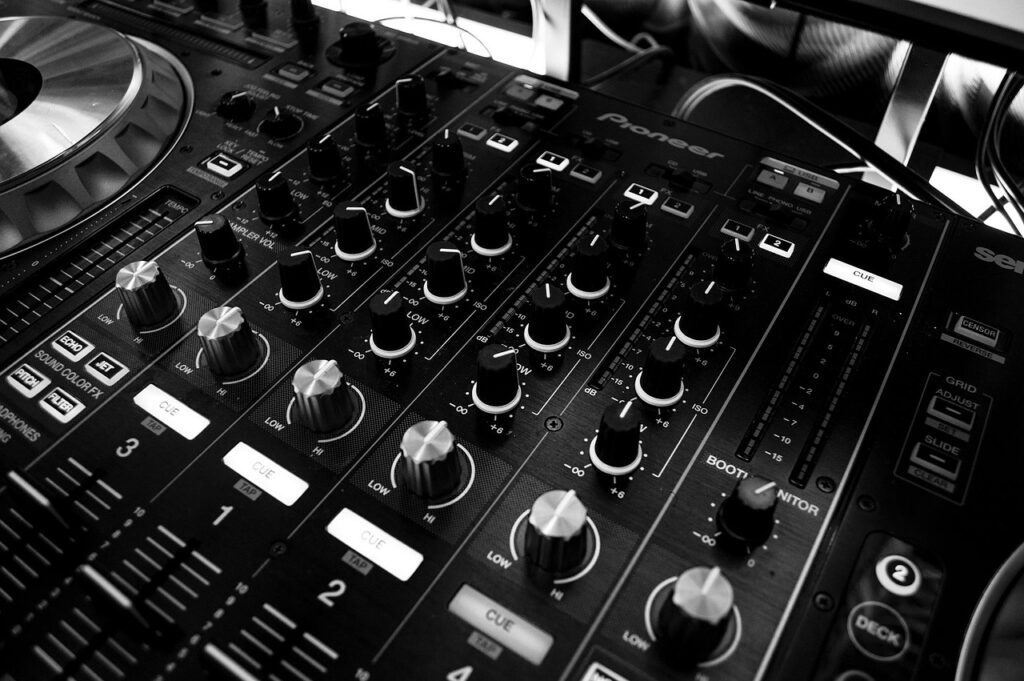
Audio clarity should be the first priority. The microphone plan should list every presenter, host, panellist, moderator, emcee and audience interaction point. Common options include handheld microphones, lapel microphones, headset microphones, lectern microphones and tabletop microphones for panels.
Useful audio benchmarks can help the production team discuss quality clearly. A Speech Transmission Index (STI) score of 0.55 is often treated as a practical minimum for intelligible speech, while sound levels across seating should ideally vary by no more than +/-3 dB so the back rows are not struggling while the front rows are too loud. Rooms above about 150 people may need line-array or distributed audio to avoid dead zones.
Visual systems should be planned around readability. A common screen rule is that the distance from the display to the last row should be no more than six times the screen height, or closer to five times for HD content. This helps the team decide whether a projector, LED wall, multiple screens or relay screens are needed. For higher-impact rooms, display choice can directly affect audience engagement, especially when ambient light, screen brightness and camera capture are part of the setup.
Hybrid events also need a clean programme audio feed for online viewers. Do not rely on a camera microphone to capture the room. Remote viewers should hear the host, speakers, videos and Q&A clearly without room echo taking over.
Planning the Lighting Setup
Lighting does more than make the stage visible. Good corporate lighting gives depth to the room, separates speakers from the background, supports brand ambience and helps cameras capture clean, consistent images. The aim is for the room to feel intentionally designed rather than simply bright, which is why corporate lighting design guidance puts emphasis on mood, focus and camera-friendly results.
For speaker-led events, start with an even stage wash so faces are clear. If the event is photographed, filmed or streamed, lighting must be checked on camera, because a scene that looks acceptable to the eye may appear too dark, too flat or too harsh on video.
For camera-friendly lighting, fixtures with a Color Rendering Index (CRI) of 90+ and Television Lighting Consistency Index (TLCI) of 90+ are useful benchmarks. Neutral white balance often sits between 4000K and 5600K, depending on the venue, camera settings and screen design.
If an LED wall is part of the design, brightness and power must be discussed early. LED walls can range from around 600 to 2,000+ nits, which makes them visible in bright convention spaces, but they can also create power spikes of roughly 600W to 800W per square metre during bright scenes. This affects venue power planning, distro requirements and technical sign-off.
Brand lighting should also be restrained. Stage design guidance is useful here: brand presence should feel natural in the space rather than visually forced, especially when the event is being photographed or streamed.
Planning the Livestream and Hybrid Event Setup
A livestream or hybrid setup should be designed as a proper audience experience, not as a camera pointed at the stage. Online viewers need clear audio, readable slides, stable streaming, platform support, moderation and a recording plan.
Connectivity should be treated as production-critical infrastructure. As IBM’s live-streaming checklist makes clear, a live stream cannot function without a reliable connection. As a rule of thumb, the combined audio and video bitrate should not exceed 50% to 70% of the venue’s consistent upload capacity. For 1080p streaming, 5 Mbps may be a minimum baseline, but 12 to 15 Mbps is safer for Full HD when stability matters. For shared or WiFi networks, build in more overhead and use a backup connection where possible.
Latency also matters. If the livestream includes Q&A, polling, chat or remote speakers, aim for a practical latency target of around 10 to 30 seconds so online interaction does not feel disconnected from the room. Most professional broadcasts also use a stable audio bitrate such as 128 Kbps, but the broader priority is consistent end-to-end delivery rather than headline bandwidth alone.
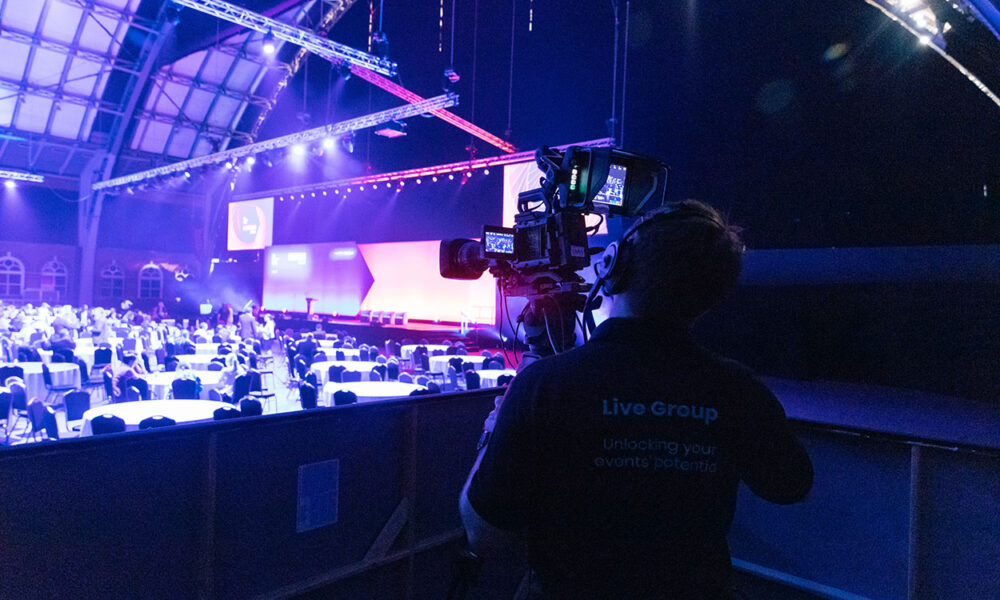
Camera planning should match the programme. A simple internal briefing may use one or two cameras, while a conference, gala dinner or product launch may need wide shots, speaker close-ups, panel shots, audience reactions and screen capture. Camera positions must work with the stage, lighting, audience sightlines and operator access.
The livestream team should test platform access, stream preview, remote speaker dial-ins, slide sharing, audio routing, backup internet, recording and moderation before the event goes live. When multiple teams are involved, communication systems can make or break the show, so intercoms, cue sheets and clear decision lines should be part of the plan.
Speaker, Presentation and Content Requirements
Speakers and presentation content directly affect technical planning. Late slides, untested videos, unclear timings and unprepared remote presenters are common causes of avoidable show-day pressure.
Create a speaker brief that explains the event format, stage layout, microphone type, arrival time, rehearsal time, speaking duration, slide deadline, clicker process and backstage or online support. Speakers should know whether they are standing at a lectern, walking the stage, sitting on a panel or joining remotely.
Collect presentation files early enough for testing. Confirm slide aspect ratio, fonts, embedded videos, animations, audio playback and whether the slides will run from a central show laptop. Videos should also be supplied as separate files so the crew has a backup if embedded media fails.
For remote speakers, test more than the video call. Confirm how they will hear the room, see slides, receive cues, answer questions and recover if their connection drops. The post-event content plan should also be discussed early, because the recap video and event recording often become useful marketing, internal communications or sales enablement assets after the live show.
Run of Show, Rehearsals and Show Calling
The run of show is the operating document for the event. It should not only list agenda items; it should show cues for audio, lighting, slides, videos, camera shots, speaker entrances, livestream transitions and stage movements. End-to-end production works best when the team has a single source of truth across planning, rehearsal, show day and post-event delivery, which aligns with event production lifecycle guidance.
A useful cue sheet includes the segment name, timing, speaker name, microphone requirement, slide or video cue, lighting state, screen content, camera direction, livestream cue, stage position and crew notes. This keeps the client, show caller, stage manager, AV crew and livestream team aligned.
Technical rehearsals should not be squeezed out. A practical benchmark is to schedule 20% more rehearsal time than you think you need, especially for launches, awards, hybrid segments and senior leadership presentations. Technical rehearsal guidance is right to treat rehearsal time as protection against visible show-day mistakes, not as spare time that can be casually removed from the schedule.
The rehearsal should test microphones, slide playback, video playback, lighting cues, camera framing, livestream feed, remote speaker dial-ins, audience Q&A flow and transitions between segments. Final checks should happen close to event time: microphone batteries, slide versions, stream preview, recording confirmation, camera framing, backup files and key contact points.
Singapore and APAC Considerations
For corporate events in Singapore and APAC, production planning often depends on venue coordination, supplier lead time and regional participation. Hotel ballrooms, convention centres, office auditoriums and external event spaces may each have different rules for loading bays, setup windows, rigging, in-house AV, internet, power, rehearsal access and teardown.
A strong site visit should make show day more predictable. Use it to discover ceiling limits, power locations, screen visibility, stage access, acoustic issues, internet routes, loading restrictions, backstage space and camera positions before the agenda and design are locked. AV site visit guidance is a useful reminder that the best checks remove uncertainty before the live event begins.
APAC events may include multilingual audiences, remote participants from several markets and speakers in different time zones. This affects rehearsal scheduling, captioning or interpretation, platform support, remote dial-ins and recording delivery.
RF coordination should also be considered when there are many wireless microphones, in-ear monitors, intercom packs or nearby events using the same spectrum. In practice, the technical team should coordinate the least flexible wireless systems first, then fit the rest around them. This mirrors Shure’s wireless coordination approach, where systems with the least frequency agility are prioritised early.
Working with a local production partner in Singapore helps companies coordinate venue details, supplier communication, crew roles, equipment planning, show calling and hybrid support. The earlier the partner is involved, the easier it is to align technical choices with the objective, budget and timeline.
Budgeting for Stage, AV, Lighting and Livestream Production
Corporate event production cost should not be estimated from equipment names alone. Two events may both need a stage, microphones, screens and lights, but differ widely because of venue conditions, audience size, setup time, crew needs, rehearsal schedule, livestream complexity and programme risk.
The main budget factors are equipment rental, crew size, setup and teardown duration, rehearsal time, stage build complexity, screen or LED wall requirements, lighting design, audio coverage, cameras, livestream platform support, internet, recording, remote speaker support and contingency planning.
A useful proposal should separate must-haves from optional enhancements. For example, a small seminar may need a simple stage, screen and audio setup, while a hybrid product launch may require multiple cameras, backup internet, dedicated streaming crew, show calling, lighting cues and recording deliverables.
Budget for testing and rehearsals. These are where problems are found before the audience sees them. A lean but reliable plan is better than an impressive equipment list with no time to test it.
Common Mistakes in Corporate Event Production Planning
- Starting too late: stage, AV, lighting and livestream decisions are harder to fix once the venue, agenda and room layout are locked.
- Using a vague AV brief: AV support is not enough. Share the agenda, audience size, speaker list, content needs and livestream requirements.
- Skipping the site visit: check ceiling height, stage position, screen visibility, power, internet, loading access, rigging, backstage space and audience sightlines.
- Underplanning audio: too few microphones, unclear handovers and weak online audio feeds quickly affect audience trust.
- Testing slides too late: wrong aspect ratios, missing fonts, unsupported video files and untested animations can disrupt the show.
- Forgetting camera lighting: speakers may look fine in the room but too dark, shiny or uneven on camera.
- No livestream backup: use backup internet, backup files, platform access checks, stream preview and a clear recording plan.
- Cutting rehearsals: save time elsewhere before cutting the session that protects the live show.
Conclusion
A strong corporate event setup connects stage design, AV, sound, lighting, livestream production, speaker preparation, rehearsals and show calling into one coordinated plan. The practical starting point is a clear production brief, followed by a site visit, realistic technical benchmarks, accessibility planning, enough rehearsal time and a backup plan for critical systems such as audio, internet and content playback. For support with corporate event production in Singapore and APAC, contact Live Group to discuss your stage, AV, lighting and livestream requirements.