Introduction
Hybrid event production is not simply an in-person programme with a livestream added at the end. It requires one coordinated plan for the venue, remote platform, AV, cameras, speakers, moderators, audience interaction, rehearsals, accessibility, recording and follow-up. For Singapore and APAC teams, the aim is to give onsite and remote attendees a clear, connected experience without allowing either audience to become secondary.
What Is Hybrid Event Production?
Hybrid event production combines a physical event and online delivery into one live experience. The production team manages what happens in the room as well as what remote attendees see, hear and do. This includes stage and room design, microphones, cameras, lighting, presentation feeds, livestreaming, online moderation, remote speakers, Q&A, recording and post-event content.
This is more demanding than a basic broadcast because the two audiences have different needs. Princeton University hybrid-event guidance describes organisers as effectively managing two events at once, with separate production considerations for the live room and virtual audience. The event format should therefore be designed for both groups from the beginning.
The continued importance of this format in APAC is supported by historical industry data. In a 2021 regional survey reported by the Singapore Tourism Board, 38% of Asia-Pacific planners were planning to stream an in-person event to virtual audiences, and nearly 80% of APAC respondents planning hybrid events intended the onsite and online audiences to interact. Because these figures are from 2021, they are best treated as evidence of the region’s early hybrid adoption rather than a current market forecast.
Start with the Hybrid Event Strategy
Begin with the event objective, not the equipment list. Define what the programme must achieve and what each audience needs before, during and after the event. A leadership town hall may require equal access to announcements and questions, while a client conference may place more emphasis on content, networking and follow-up. A product launch must work visually in the venue and through the camera feed.
The strategy should define:
- Purpose: The business, communication, learning, engagement or marketing outcome.
- Audience: Who will attend onsite and remotely, including markets, time zones, languages and accessibility needs.
- Format: Keynotes, panels, breakouts, demonstrations, Q&A, networking, awards or regional updates.
- Interaction: Where remote and onsite attendees will use polls, questions, chat, discussion or feedback.
- Content: Which sessions will be livestreamed, recorded, edited, repurposed, restricted or kept private.
- Success measures: Attendance, participation, viewing, survey feedback, follow-up interest and stakeholder outcomes.
This framework helps production partners recommend the right setup and prevents technology from driving the agenda without a clear audience or business purpose.
Design the Experience for Onsite and Remote Audiences
Map both attendee journeys from registration to post-event access. Remote attendees need clear joining instructions, calendar reminders, platform access, technical help, readable content and a reason to participate. Onsite attendees need a smooth arrival, strong sound, visible screens, comfortable room flow and a programme that still feels live.
Agenda pacing should account for people watching from offices, homes and different time zones. Break up long content with moderated questions, polls, short transitions and planned breaks. Networking should be designed separately for each audience rather than forcing one format to serve both.
Assign a dedicated online moderator to welcome remote attendees, manage chat, surface questions and coordinate with the show caller. This separation of responsibilities reflects Princeton University hybrid-event guidance, which recommends dedicated support roles rather than expecting the presenter or event manager to control every technical and audience-facing task.
Plan the AV, Stage, Cameras and Livestream
The technical plan should cover the stage, microphones, room sound, lighting, presentation screens, confidence monitors, camera positions, video switching, slide capture, remote-speaker feeds, encoding, stream monitoring, recording and contingency systems. These elements should be discussed with the venue before the room layout, rigging plan and setup schedule are final.
For a standard hybrid event, Princeton University hybrid-event guidance recommends at least four production support roles: a video-conferencing monitor, video-broadcast lead, audio lead and presenter assistant. Large or complex programmes may also need a show caller, stage manager, stream producer, platform support and microphone runners.
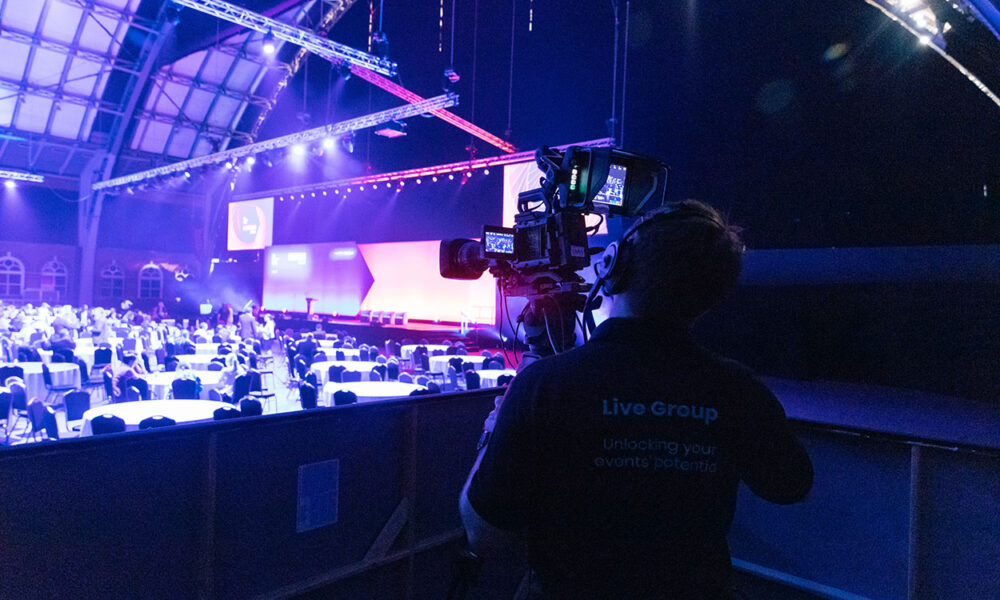
Camera coverage should match the event format. Stanford University A/V guidance recommends at least one camera for hybrid delivery and suggests adding a second camera to provide a wide shot and a close-up. Panels, demonstrations, audience interaction and concurrent rooms may require further angles, but camera count should follow the programme rather than a generic rule.
For recorded video, the US Environmental Protection Agency media guide recommends no less than 1920 x 1080 resolution and identifies 30 frames per second as a suitable general setting. It also lists MP4 as an acceptable output format and WAV or AAC for audio where available.
Audio should be treated as a primary production system. Provide the right microphones for presenters, panels, lecterns, audience Q&A and remote speakers. Send a clean feed to the stream, record important sessions separately and monitor the output through headphones. Poor audio can make a technically sharp video unusable.
Avoid setting a universal bandwidth number without knowing the platform, resolution and number of streams. Stanford University A/V guidance recommends obtaining an internet-requirements document from the streaming provider covering bandwidth for each room, IP requirements and any firewall ports. Use a dedicated, hardwired and tested connection, with a separate backup route where the event is business-critical.
Choose the Right Hybrid Event Platform
Choose the platform according to the event format, audience size, security, interaction and reporting needs. A simple briefing may only need a webinar workflow, while a regional conference may require registration, livestreaming, chat, Q&A, polls, breakout rooms, attendee profiles, multilingual content, analytics and on-demand access.
Before committing to a platform, confirm:
- It supports the expected concurrent audience and all required session formats.
- Registration, reminders, authentication and joining instructions are straightforward.
- The attendee experience works on the browsers, devices and networks used across target markets.
- Moderators can manage chat, Q&A, polls, breakouts, speakers and support requests.
- Recordings, attendance data, participation data and post-event access can be managed appropriately.
- Access controls, data handling, retention and integrations meet organisational requirements.
Run an end-to-end test using the same account settings, network conditions, presentation files and devices planned for the live event. A feature list alone does not confirm that the attendee journey will work.
Prepare Speakers, Presenters and Moderators
Hybrid speakers communicate to the room and the camera at the same time. Their briefing should cover the event objective, audience, timing, slides, microphone, camera awareness, Q&A process, rehearsal and contingency plan. Moderators must know how onsite and remote questions will be balanced.
For remote speakers, Cornell University presenter guidance recommends a wired internet connection where possible, an eye-level camera, tested screen sharing, clear microphone audio and a backup plan. It also advises using more than one host so the event does not depend on a single host computer.
Collect final slides, videos and fonts early enough for testing. Use readable type, strong contrast and simple animation because remote viewers may be watching on smaller screens. Confirm who controls the slides and prepare a dial-in or content-handover fallback for every remote contributor.
Create a Run of Show and Rehearsal Plan
The run of show should connect the live room, stream, speakers, slides, video playback, audience interaction and moderation. It should show timings, cues, microphone changes, camera shots, remote-speaker joins, polls, Q&A, holding slides, breaks and fallback actions.
Rehearse the actual workflow rather than testing equipment in isolation. Princeton University hybrid-event guidance recommends practising in the same room one or two days before the event with the same equipment, laptops and production elements wherever possible. Stand-ins can be used when presenters cannot attend the full technical rehearsal.
The final checks should cover:
- Before rehearsal: Agenda, speakers, crew roles, slides, videos, platform access, camera positions and backups.
- During rehearsal: Walk-ons, microphones, camera shots, slides, remote joins, polls, chat, Q&A and transitions.
- Before doors open: Sound, lighting, cameras, internet, recording, stream links, holding slides and support contacts.
- During the event: Timing, live changes, stream health, remote support, audience questions and critical recordings.
Plan Accessibility from the Start
Accessibility affects the registration process, venue, presentations, platform and recordings. Ask attendees about access requirements, use readable slides, provide keyboard-accessible digital content and ensure remote participants can follow the same essential information as those in the room.
For media accessibility, the W3C Web Accessibility Initiative explains that captions are required under WCAG at Level A for prerecorded video with meaningful audio and at Level AA for live synchronized media. Plan live captioning, edited captions, transcripts and any required audio description before production begins rather than adding them after delivery.
Singapore and APAC Considerations
Regional events may include attendees from Southeast Asia, North Asia, India, Australia and global offices. Time zones, local working hours, languages, cultural context, technology access and approval processes can all change how the programme should be designed.
Where one live time cannot serve every market, consider shorter live segments, regional breakouts, repeated sessions or on-demand access. Plan bilingual moderation, translated captions, localised slides and regional follow-up materials early because these requirements affect both production and approval timelines.
Privacy and data handling also need a clear owner. The Singapore Personal Data Protection Commission explains how Singapore’s PDPA applies to identifiable photographs and video recordings, including the roles of organisers and contracted photographers or videographers. It also notes that individuals may withdraw consent for future use or disclosure in applicable circumstances. Confirm notices, recording permissions, platform data, publication rights, retention and cross-border access before the event. Legal requirements vary by market and intended use.
Planning Time and Budget
Hybrid production adds workstreams that do not exist in a conventional room-only event: streaming, platform configuration, remote-speaker support, online moderation, dedicated internet, recording, captions and post-event versions. Cost should therefore be based on the required experience and outputs rather than a single percentage uplift or generic market price.
For complex programmes, begin early. Brown University planning guide notes that most substantial events can require at least six months to plan fully once conceptualised. Smaller internal broadcasts may need less time, but the schedule must still allow for platform configuration, venue coordination, speaker preparation, technical testing and approvals.
A useful supplier brief should include the event date, venue, onsite and remote audience sizes, number of rooms, agenda, speaker formats, livestream and platform needs, accessibility requirements, rehearsal windows, recording scope and post-event deliverables. Separate must-have outputs from optional enhancements so proposals can be compared on the same scope.
Post-Event Content, Analytics and Follow-Up
Decide before the event which sessions will become on-demand videos, internal updates, learning resources, social clips, executive summaries or sales content. Early planning ensures the crew captures clean audio, useful camera angles and the permissions needed for each output.
Review analytics against the event objective rather than reporting every available figure. Useful measures may include registrations, live attendance, session participation, viewing duration, Q&A, polls, survey feedback, content downloads and follow-up interest. Combine platform data with stakeholder feedback and business outcomes.
Protect recordings and event data through a documented backup process. The US Cybersecurity and Infrastructure Security Agency recommends the 3-2-1 backup rule: keep three copies of important files, use two storage types and keep one copy off-site. Test that critical files can be restored before working copies are removed.
Common Mistakes in Hybrid Event Production
The most common mistake is treating hybrid as a camera feed rather than an audience experience. Remote attendees need clear audio, readable slides, participation and support. Another common problem is investing in equipment while underplanning content, speakers, moderation, rehearsals and follow-up.
Poor audio, unclear links, blocked camera angles, unreadable slides and unstable remote speakers are usually planning failures rather than isolated technical accidents. Skipping the rehearsal leaves these issues to be discovered in front of the audience.
Regional events also suffer when time zones, localisation, accessibility and permissions are considered too late. Finally, teams lose value when recordings are captured without a defined editing, approval, storage or distribution plan.
Conclusion
Successful hybrid event production requires one coordinated plan for strategy, onsite and remote audience experience, AV, livestreaming, platforms, speakers, moderation, rehearsals, accessibility, privacy and post-event content. When venues, production teams and stakeholders align early, both audiences can take part in one connected event rather than two uneven experiences. For support planning hybrid event production across Singapore and APAC, contact Live Group to discuss the right approach for your programme.